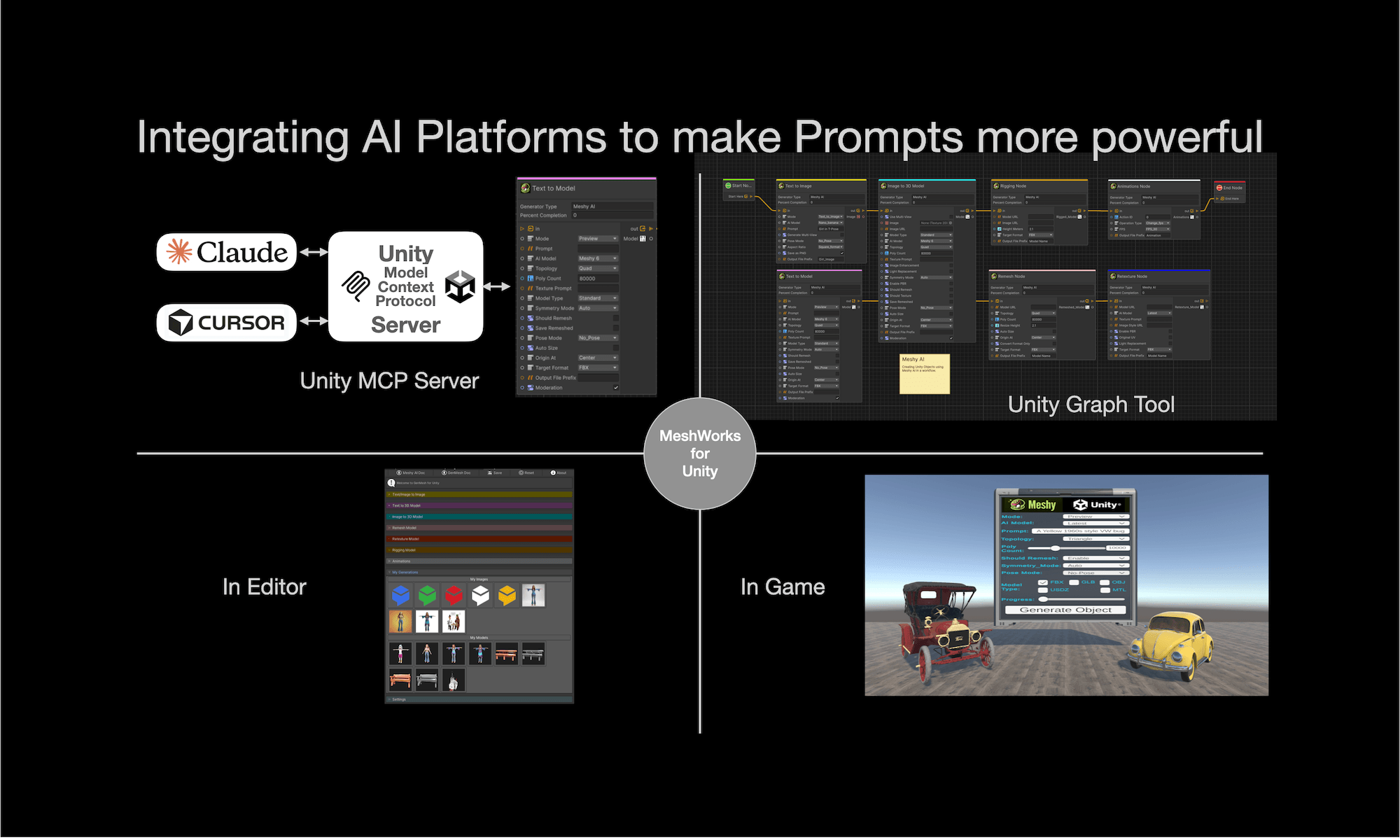
The Auto-Rigging & Animation Interaction points for GenMesh for Unity enable you to automatically rig 3D models and apply animations through Meshy AI’s backend services.
From Meshy AI: The rigging and animation Interaction Points for GenMesh currently work best with standard humanoid (bipedal) models that have clearly defined limbs and body structures. Models that are not suitable for Rigging are Untextured meshes and Non-humanoid assets.
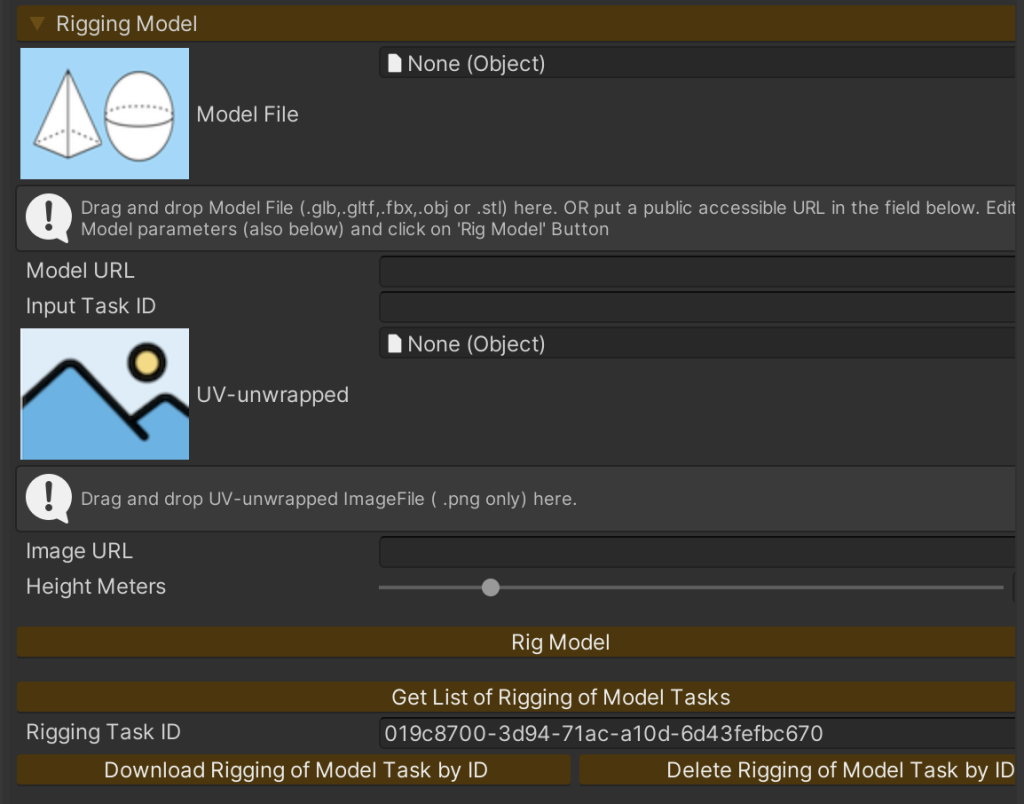
Above shows the “Rigging Model” Interactions points for GenMesh for Unity for Rigging a 3D Model.
- Model Source is either the Model File (dragged and dropped) OR a Public URL Model (just below the Model File).
- If the Model File and the Public URL Model are not specified. The Input Task ID of the Model to be Rigged should be supplied.
- UV-unwrapped: The model’s UV-unwrapped base color texture image.
- Image URL: is public based URL for the UV-unwrapped texture Image.
- Height: The approximate height of the character model in meters.
The buttons are self-explanatory.
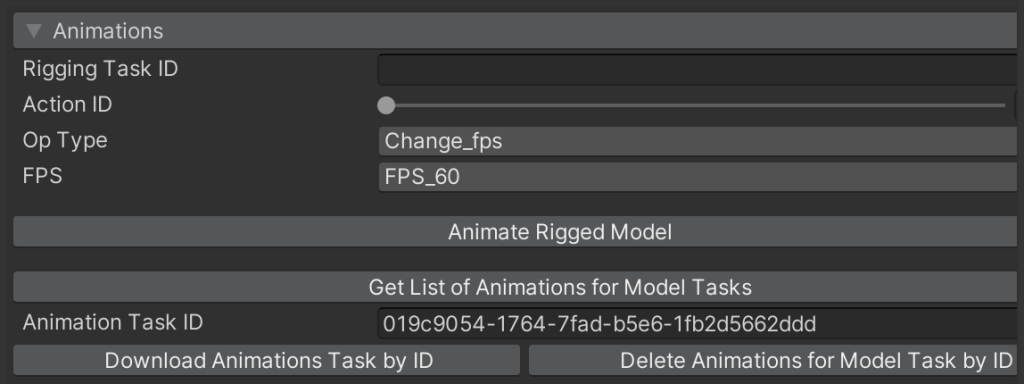
Above shows the “Animations” Interactions points for GenMesh for Unity for downloading the appropriate Animations for the Rigged Model.
- Rigging Task ID: The Task ID of a successfully completed rigging task . The character from this task will be animated.
- Action ID: Is the selected Animation for the Meshy AI Animation Library. More than 500 different animations can be selected from.
- Op Type is Post Processing Options : Change_FPS, Fbx2Usdz or Extract Armature.
The buttons are self-explanatory.